This post demonstrate how to perform factory reset if you don’t have admin password. For this to work, you need a console connection to firewall.
01. Reboot firewall by unplug the power cable and then plug it back in.
02. From console output, select “PANOS (main-sysroot1)”. Please noted, this selection only show up around 5 seconds if you missed then redo step01.
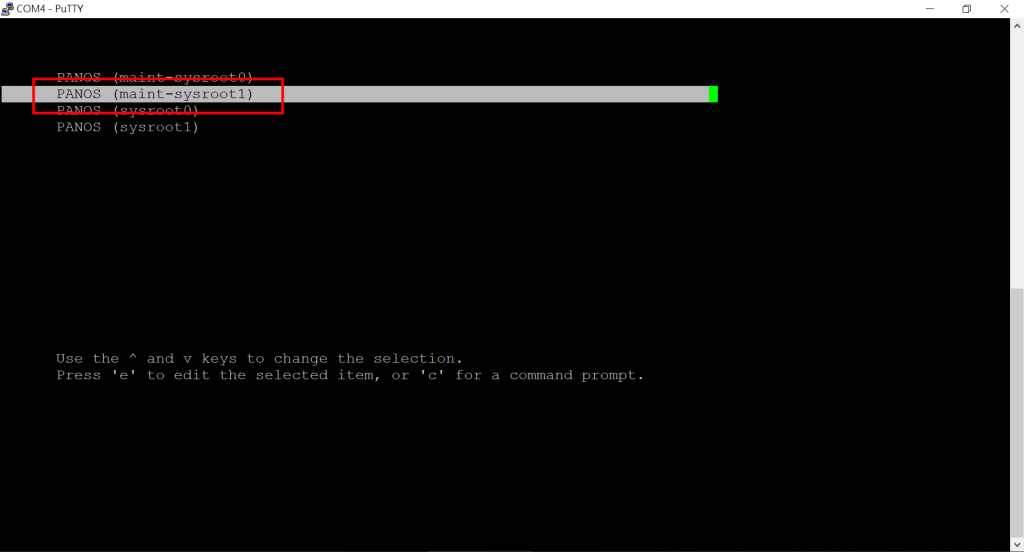
03. Select “continue”
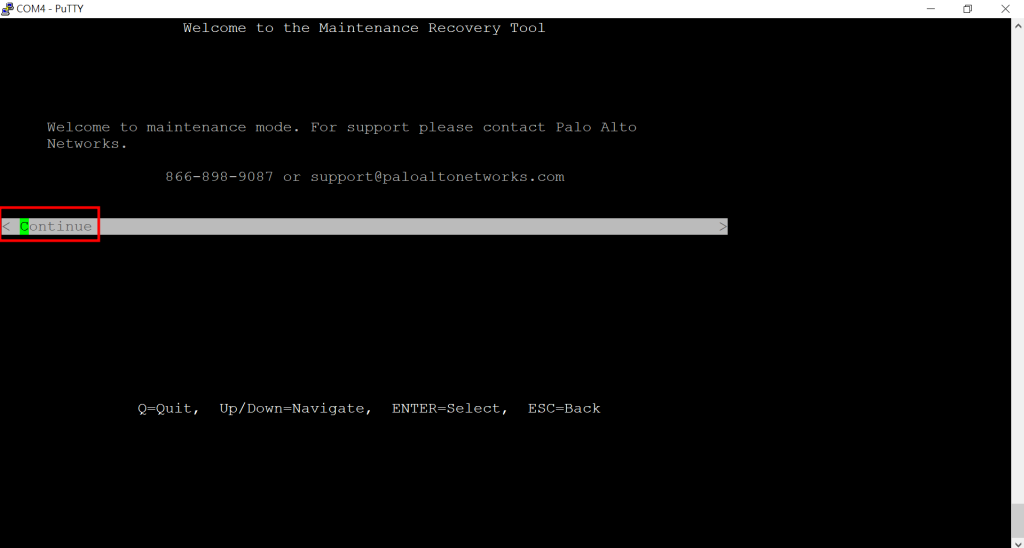
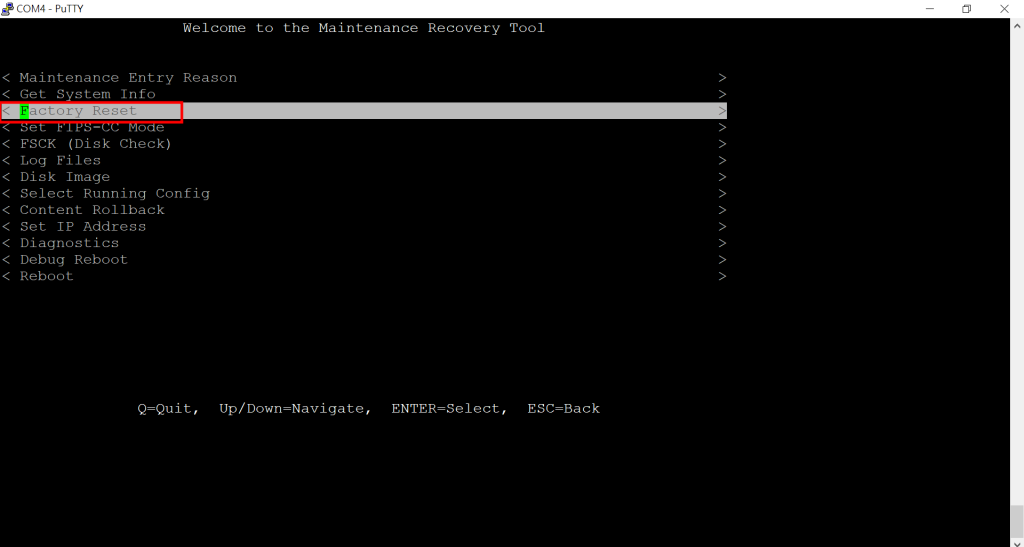
04. Select “Factory Reset”
05. Select “Factory Reset” again to confirm the reset
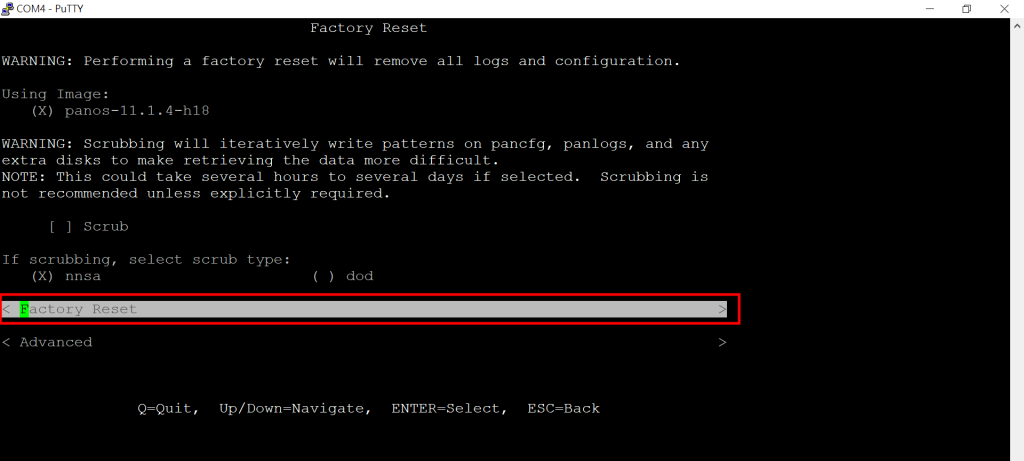
06. Wait for the system reset, it takes around 15-20 minutes.
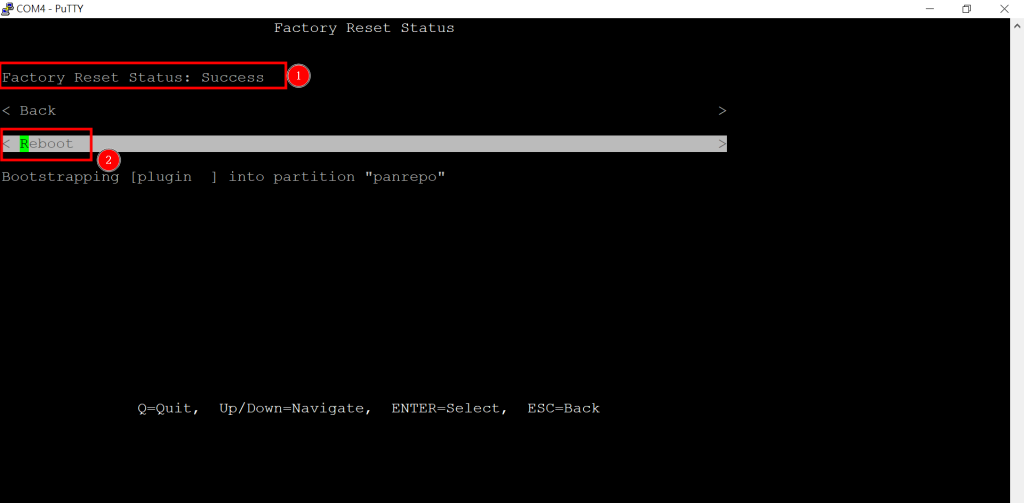
07. When prompted with “Success”, select reboot. The firewall has been successfully reseted.
Hi Andy, thanks for the step-by-step guide! I’m actually preparing to move to Spain for a new network admin role and I’ll be setting up some lab gear there. Do you know if this factory reset method works the same on the newer PA-400 series? Also, since I’m handling all the paperwork for my relocation right now, I was looking at this site https://e-residence.com/nl/nie-spain-online/malaga/ for getting my NIE in Malaga—do you or anyone here happen to know if it’s a reliable resource for expats, or should I stick to the official government portals? Thanks again for the technical tips!
Hi Olajuwon,
I have worked with 400,800,3200,5200,1400,3400 series. All models works the same way. Newer model might have usb-c console port for easy access. However, as a personal preference, I like to use the good and. old DB9-RJ45 console more.
Regarding your relocate paperwork, my apologies I do not have any experience on that.
Thanks for the detailed guide, Andy! Quick question regarding the post-reset configuration: once I’ve restored the Palo Alto to factory defaults, I’m planning to set up URL filtering for a client in South America. They specifically mentioned needing to audit or restrict access to regional betting sites like GuiadeSportbetColumbia.com (https://guiadesportbetcolumbia.com) due to local compliance and security risks. Have you noticed any specific issues with PAN-DB categorizing these newer regional domains correctly after a fresh wipe, or should I manually create custom objects for them right away?
Hi Martha,
If I read your question correctly. You were asking URL filtering and new domain?
From my experience, new domain will be an issue since it will be caught by “new domain” category. You just need to submit a re-category ticket to PaloAlto to have it fixed.
It’s always handy to test it with PaloAlto’s Test A site (https://urlfiltering.paloaltonetworks.com)
In the meantime, you should be able to use custom category as a workaround.
* PaloAlto has new policy that requires all categories change ticket need a valid CSP account.